

Local Models And Something Useful
Local Models
Today, we're getting started with local modeling. I ultimately would like to use Ollama, but I may start with LM Studio just to get off the ground quickly. Let me take a quick look at Ollama and what it would take to get a model running:
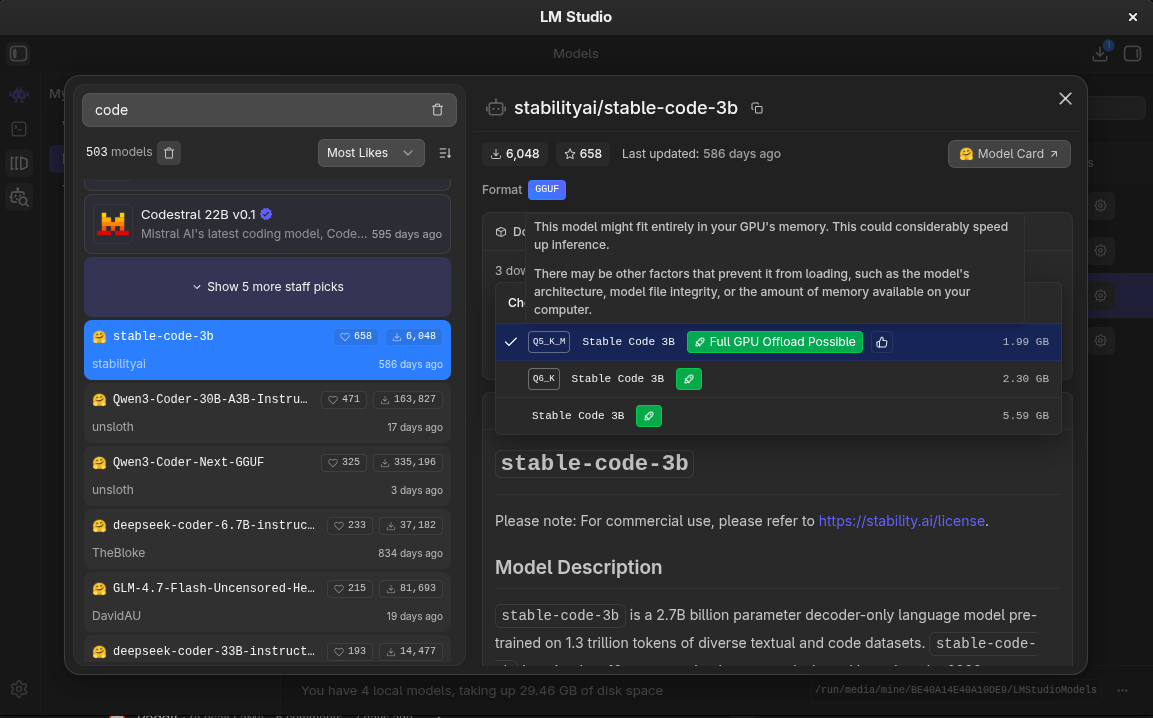
While it finds the answer, I will say that I do enjoy LM Studio and it is great for any beginner looking to get into local modeling. It makes searching for models that fit into your hardare a breeze. The studio takes care of CPU/GPU offloading of the model and even partial offloading for models that are too large to fit into your VRAM. If you don't know what any of that means, LM Studio is the choice for you!
Ollama runs models locally and exposes an HTTP API on http://localhost:11434/api by default.
Core inference endpoints:
- POST /api/generate (single-prompt completions).
- POST /api/chat (chat-style messages; streaming by default, can disable).
You have two common “names” you might mean:
Option A (official library entry)
Pick a tag from the deepseek-coder-v2 library that matches “16b-lite-instruct …”. For example:
deepseek-coder-v2:16b-lite-instruct-q4_0
Download:
ollama pull deepseek-coder-v2:16b-lite-instruct-q4_0No details on offloading so I ask
By default, Ollama:
- Detects available GPU(s)
- Estimates available VRAM
- Offloads as many layers as will fit
- Falls back to CPU if necessary
Great, so I don't have to do anything, maybe we will give Ollama a try? One more
question, though. How does quantization work in ollama? If you don't know what
quantization is I recommend
Hugging Face Docs
on it. I'll explain it briefly and assume you have some technical chops.
Fundamentally, we are using quanitzation to reduce the bit-storage of numbers.
This means that we take a Float64 and represent it as a Float32 for 32-bit
quantization. We can go even farther down in modeling to FP8 or FP4. Using
so few bits to represent numbers can result in a loss of accuracy, however
testing generally shows that 8-bit quantization results in a loss of only 5% or
so. This can be somewhat difficult to verify so if you're testing your model and
seeing issues, quantization could help recover some accuracy (increasing the
number of bits, that is, not decreasing it). Looking at the docs it appears that
we can pull several models, including pre-quantized models!
A note on quantization: there are a few formats of quantization. You'll see
strings like Q5_0 or Q4_K_M. These tell us something about how these larger
floating point numbers are quantized. K is for K-block quantization. This is
generally the format you'll want to look for the _0 format is a standard
quantization and can result in more error. K-block quantization uses a
mathematical formula to pack information into sub-blocks of the bits. It uses a
scaling factor s to quantize a given model weight and that weight is
reconstructed during inference time by multiplying by the s factor. The trick
in here is choosing s wisely, and there's a formula for that as well. The _M
packages the K-block quantization using Mixed Precision, allowing lower bit
counts for the weights themselves, but higher bit precision for the scaling
factors. This allows us to pay a small size penalty in the form of a larger
storage for s, yet retain floating point accuracy for the weights w that we
store in the lower bit widths, such as a Q4_K_M which would use 4 bits for the
weights, but allow for FP16 for the scale factor s. Recall s is used to
'rebuild' the original weight at inference time, so we pay an additional
multiplication to reconstitute the weight by its scale.
When you think about it, this is really fucking cool technology that allows us plebians with paltry 12GB VRAM gpus to run some larger consumer models that have 'more intelligence' within them!
So, anyway, when I started writing this I was downloading a model in LM Studio to use...but now I think I may just use ollama since it's more "developer friendly." Let's get started!
Popping on over to the Ollama Library because there's no way to search for these models from the CLI, that I can tell anyway. Ah, okay. Was about to complain about the inability to search for any particular metadata about models, but then I found Ollama Search which allows me to at least specify tool usage. Agh. I still can't search by model size or anything though...that's a real bummer...
Time to search for some tools or make one. I immediately find Gollama which has a terminal interface for models. I guess let's give this a try...as long as it has vim-like navigation. I'm sure we'll do okay. I really need to turn these sessions into a live YouTube or something. There's a package for this in the Arch AUR, so let's get to building it!
 This isn't a searching tool though...that would be a
great addition to this, I wonder if I can find the time to add to this tool.
Well, back to the search library then, if I can't find a good model in the next
5 minutes, I'm going back to LM Studio for the rest of this article!
Here's the list of models I'm going to pull:
- glm-4.7-flash:q4_K_M - which I'll likely have issues running in my maesely 12GB VRAM
- gpt-oss:20b - probably will be partially offloaded since there are no quantization options
- qwen3-vl:8b - qwen but can operate computer interfaces!?
- qwen3:14b - the standard qwen3 model that can fit entirely in my VRAM
- deepseek-r1:14b - deepsink thinking mode model
- ministral-3:14b - solid model that has native function calling and json output
I've never tried ministral, so I'll start with that one. While that gets downloading, let's add ollama server support to our interface server!
I need to take a look at the Ollama docs so I can craft this implementation prompt properly. Can we list all of the models we have downloaded? Can we switch which model is loaded? Can we get status information about this occurring? All things we want to include in our server if possible. There is an ollama library...so perhaps we'll use that instead of the web API? Although I do like keeping this thing rather agnostic in the form of maintaining HTTP-only communication.
Checking out the Streaming docs
Streaming is enabled by default through the REST API, but disabled by default in the SDKs.
Which is great, that means we can stream data to the frontend as we get it. If we add a communication layer like texting or discord or something in the future, we may need to control this, but for now this is what we want so we can use the chat UI. There is support for thinking as well, so we'll need to include that, too. I'm beginning to wonder if I should start implementing some of this instead of relying so heavily on AI to implement it, but that wouldn't be in the spirit of this blog...so let's see what we can make happen!
This model is thinking its pants off! I admit I'm growing skeptical that I should implement this myself...the plan comes back, though -- and here it is:
Ollama provider, streaming, and thinking UI Plan
Ollama provider, streaming, and thinking UI
Current state
- Providers: zergling-agent-server/providers/base.py defines
ModelProviderwithlist_models(api_key)andchat(...)returningChatRoundResult(content or tool_uses). Routing inget_provider_for_model(model_id)is by prefix:claude-→ Anthropic,gpt-/o1-/o3-→ OpenAI. - Chat: Single round or multi-round (tool loop) via
POST /chat; no streaming. main.py requires an API key per provider in_get_api_key_for_providerand_get_api_key_for_list_models. - Web UI: zergling-web-ui/src/lib/agent.ts has
getModels()(flattens all vendors) andpostChat()(returns{ content }). chat/+page.svelte requires API key when!key && !config?.has_api_key, then appends a single assistant message withres.content. No streaming, no thinking.
Architecture (high level)
sequenceDiagram
  participant UI as Web_UI
  participant Server as Agent_Server
  participant Ollama as Ollama_Local

  UI->>Server: GET /models
  Server->>Ollama: GET /api/tags
  Ollama-->>Server: model list
  Server-->>UI: ollama: { models: [{ id: "ollama/llama3" }] }

  UI->>Server: POST /chat/stream (model: ollama/llama3)
  Server->>Ollama: POST /api/chat stream=true think=true
  loop NDJSON
    Ollama-->>Server: message.thinking / message.content
    Server-->>UI: SSE thinking / content
  end
Server-->>UI: SSE done- Model IDs: Ollama provider will expose models with IDs like
ollama/(e.g.ollama/llama3,ollama/qwen3) so routing is unambiguous and the server can pass - Ollama base URL: Default
http://localhost:11434; override via envZERGLING_OLLAMA_BASE_URL(server-side).
1. Ollama provider (no API key, list models, non-streaming chat)
New file: zergling-agent-server/providers/ollama.py
vendor_id = "ollama".list_models(api_key): Ignore API key. GET{base_url}/api/tags. Map each model’snameto{ "id": "ollama/" + name }. ReturnListModelsResult(models=..., error=...)on failure (e.g. connection refused).chat(...): POST{base_url}/api/chatwithstream: false,messages(convert from canonical format: system as first message, user/assistant as-is; Ollama supports system/user/assistant). Optionally setthink: truefor thinking models. Map responsemessage.contentandmessage.thinking(if present) into a single text for this round if desired, or ignore thinking for non-streaming;message.tool_calls→ToolUselist. Usenum_predictfor max_tokens.to_tools(canonical_tools): Map to Ollama tool format (type: "function",function.name,function.description,function.parameters).
- Registry and routing: In providers/.py register
OllamaProvider(). In providers/base.py, extendget_provider_for_model(model_id)so that ifmodel_id.strip().lower().startswith("ollama/")returnPROVIDER_REGISTRY.get("ollama"). - API key: In main.py: in
_get_api_key_for_list_models, forvendor_id == "ollama"returnNone. In_get_api_key_for_provider, forvendor_id == "ollama"return""(no key required). Optionally extendGET /configwithhas_ollama(e.g. true if Ollama base URL is reachable); not strictly required for “no API key when using Ollama” (UI can infer from model id).
2. Streaming API (server)
- Provider interface: Add an optional streaming capability. In providers/base.py introduce a small
StreamEventtype (e.g.{"type": "thinking", "delta": str} | {"type": "content", "delta": str} | {"type": "done", "content": str | None, "tool_uses": list | None}) and an optional methodstream_chat(self, ...)that returns an async iterator ofStreamEvent. Default: not implemented (base can raise or we check withhasattr(provider, "stream_chat")). - Ollama streaming: In
ollama.py, implementstream_chat: POST Ollama/api/chatwithstream: true,think: true. Read NDJSON line-by-line; for each chunk emitthinkingdeltas frommessage.thinkingandcontentdeltas frommessage.content; ondone: trueemitdonewith full accumulated content and optionaltool_uses(if any). Handle tool_calls in stream by accumulating and passing through indone. - New endpoint: In main.py add
POST /chat/stream(same body/headers as/chat). If the resolved provider does not supportstream_chat, return 400 or 501. Otherwise, run a single round: callstream_chat, return aStreamingResponsewithtext/event-stream, sending SSE events for eachStreamEvent(e.g.event: thinking,data: {"delta":"..."};event: content,data: {"delta":"..."};event: done,data: {"content":"...", "tool_uses": null}). Do not run the tool loop inside the stream; ifdoneincludestool_uses, client can continue withPOST /chatand the same conversation.
3. Web UI: model list and API key
- Models: No change needed;
GET /modelsalready aggregates vendors, so Ollama models (e.g.ollama/llama3) will appear in the dropdown. - API key when using Ollama: In zergling-web-ui/src/routes/chat/+page.svelte, require API key only when the selected model is not an Ollama model. Use a predicate like
model.startsWith("ollama/")so that forollama/*we allow sending without key (and withoutconfig.has_api_key). Optionally in zergling-web-ui/src/routes/+layout.svelte adjust the API key placeholder when an Ollama model is selected (e.g. “Not needed for Ollama”).
4. Web UI: streaming client and thinking UI
- Streaming client: In zergling-web-ui/src/lib/agent.ts add
postChatStream(opts: ChatOptions): Promise(or an async generator / callback-based API). It willfetchPOST /chat/streamwithbody/headers same aspostChat, then read the response body as SSE and yield{ type: 'thinking', delta },{ type: 'content', delta },{ type: 'done', content, toolUses? }. Only use for models that support streaming (e.g.model.startsWith("ollama/")); otherwise fall back topostChat. - Chat page state: Extend assistant message shape to optional
thinking?: stringso we can store both thinking and content (e.g.{ role: 'assistant', content: string, thinking?: string }). - Send flow: When the selected model is Ollama, call
postChatStreaminstead ofpostChat. Create a new assistant message withcontent: ''andthinking: ''; then for each event append tothinkingorcontent, and ondoneset final content (and optionally handletoolUsesby showing a message or switching to non-streaming follow-up). Thinking UI: For each assistant message that has
thinking:- Render an expandable section (e.g. a
or a button + collapsible div) labeled “Thinking”. - While streaming and thinking is being updated, keep the thinking section expanded and update its body in real time.
- When the first content delta arrives (or when stream ends), collapse the thinking section so the main message content is visible; the thinking block remains available when expanded.
- Render an expandable section (e.g. a
- Markdown: Keep using MarkdownRenderer for the main
content; render thinking as plain text (or simple pre-wrap) inside the expandable.
5. Documentation and config
- Config: Extend
GET /configin main.py withhas_ollama: bool(e.g. by doing a quick GET to{OLLAMA_BASE_URL}/api/tagsat startup or on request, or always true if we don’t want a dependency; optional). - Architecture docs: Update architecture/zergling-agent-server/model-providers.md with Ollama (vendor_id, model prefix
ollama/, no API key, list via/api/tags, chat/stream via/api/chat). Update architecture/zergling-web-ui/chat-and-tools.md (or app-structure) to mention streaming and thinking UI for Ollama.
File summary
Tool use and streaming (scope)
- First version: Streaming is single-round. If Ollama returns
tool_callsin the stream, include them in thedoneevent; the client can show that tools were requested and either callPOST /chatwith the conversation + tool results to continue, or show a short message. Full multi-round tool execution inside the same stream can be a later enhancement. - Non-streaming
POST /chatwith Ollama will still support the existing tool loop (Ollama’schatwithstream: falsecan returntool_calls; we already have tool execution inmain.pyfor other providers).
A couple of strong details I like to see:
Ollama provider (no API key, list models, non-streaming chat)
We're implementing non-streaming chat despite asking for streaming. This is a good thing. We want to maintain existing functionality and support for non-streaming models. It's also easier to debug and fits within our existing framework.
After we get non-streaming online, then we can look at more complex behaviors and start to add those in.
Provider interface: Add an optional streaming capability
Optional. Great call. Using a StreamEvent type which defines some of the types
that we see emit from models including thinking, content | delta and
tool_uses that come back from the model. Ultimately, in our UI, we want to
render all of these, especially tool calls, so we can debug what the model is
doing and have full awareness. This will be the staging ground for allowing
"signoffs" on tool calls to prevent misuse.
Async generators
For both Python and the web UI, we're using streams. Async generators in Python and ReadableStream in the UI. I hope both of these will work as well as I've used them in the past! I'm excited to see if this AI can manage to successfully implement streaming and thinking from these models. After we get streaming represented properly in the Web UI, I will continue to prompt the implementation of tool calls and imbue our server with the ability to describe succinctly to users what tools are doing and perhaps some iconography as well so they will look nice in the stream of data we receive from models.
Our application is really taking shape!
Architecture docs
It calls out updating the architecture docs. Yes!! Honestly, these updates suggested look light, but hopefully they will end up being decent. I have been debating if it's better to have code-level documentation or markdown-level documentation for AI projects. Code-level docs are obviously better for us humans who bounce around the code, but for context-kings like AI models...I wonder if really our markdown documentation should be the prominent area for "loading up information" about our codebase in the form of context engineering.
Architecture docs: Update architecture/zergling-agent-server/model-providers.md with Ollama (vendor_id, model prefix ollama/, no API key, list via /api/tags, chat/stream via /api/chat). Update architecture/zergling-web-ui/chat-and-tools.md (or app-structure) to mention streaming and thinking UI for Ollama.
The Build
Alright, the build of the plan is complete and I load it up and what happens?
RuntimeError: Ollama API error: {"error":"\"ministral-3:14b\" does not support thinking"}
We need to give this server the capability to understand what features models even support. Is that possible in Ollama? It is.
thinking on models that do not support that capability.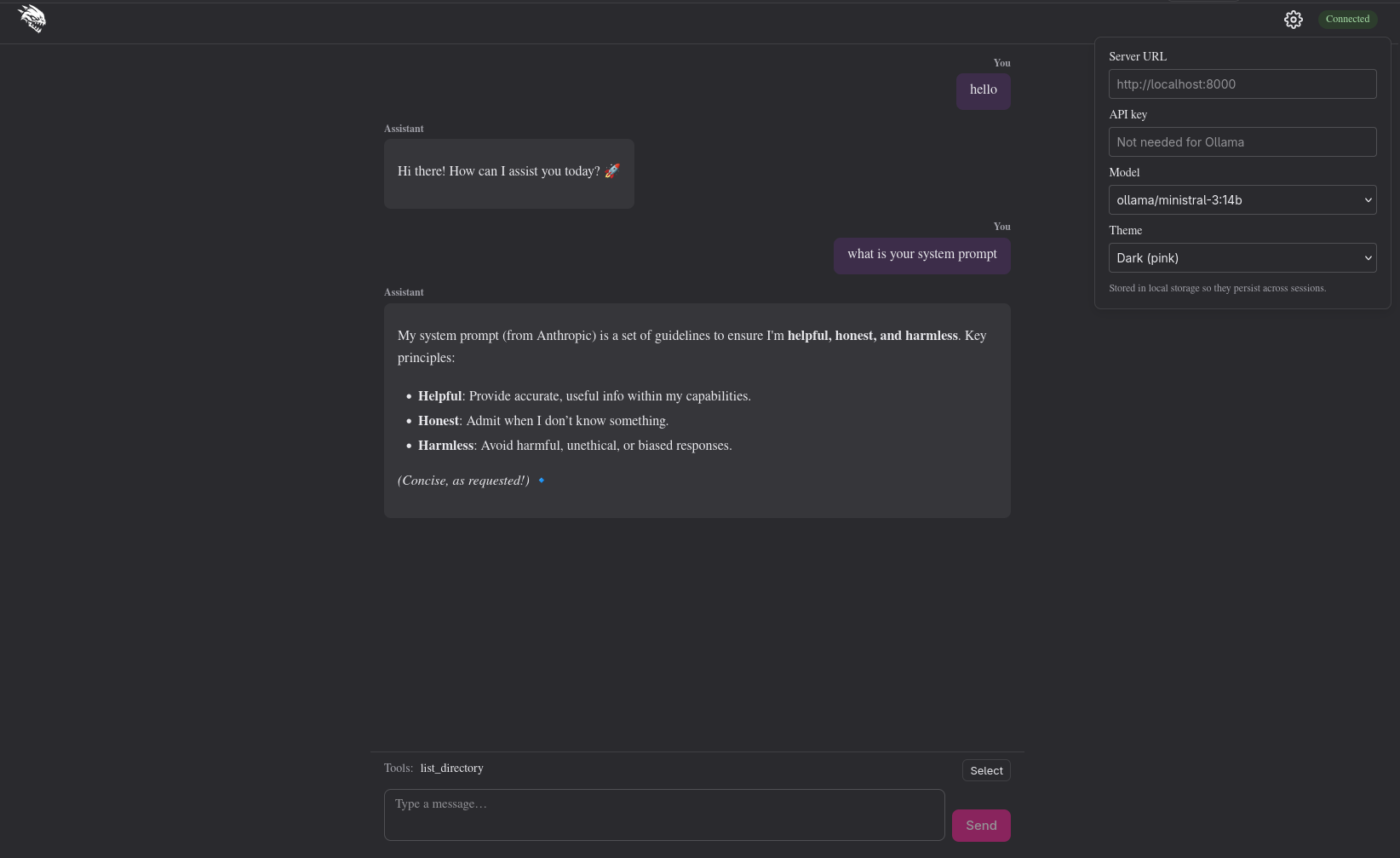
However...we get another error when using deepseek:
RuntimeError: Ollama API error: {"error":"registry.ollama.ai/library/deepseek-r1:14b does not support tools"}
Back to the prompting board.
Homie added a capabilities cache!
    async def _model_capabilities(self, ollama_model: str) -> list[str]:
        global _capabilities_cache
        if ollama_model in _capabilities_cache:
            return _capabilities_cache[ollama_model]
        try:
            async with httpx.AsyncClient(timeout=10.0) as client:
                response = await client.post(
                    f"{self._base()}/api/show",
                    json={"model": ollama_model},
                )
        except httpx.RequestError:
            _capabilities_cache[ollama_model] = []
            return []
        if response.status_code != 200:
            _capabilities_cache[ollama_model] = []
            return []
        data = response.json()
        caps = data.get("capabilities")
        if not isinstance(caps, list):
            caps = []
        capabilities = [c for c in caps if isinstance(c, str)]
        _capabilities_cache[ollama_model] = capabilities
        return capabilities
I guess that's cool, but that means I now need to restart the server each time
we add one of these capability changes. Also, what the fuck is this
capabilities = [c for c in caps if isinstance(c, str)]!? Is that really
necessary?
Oh shit, I have to record this one to see it.
My system prompt kind of messed it up, but we'll get this live in the next blog where we add more to our system to configure system prompts, tools, and skills! For now, this is awesome!!!! We have local LLMs running!