

In Service of Agents
In Service of Agents
Welcome back to another episode. Today, we're doing an age-old developer classic tale: Rewriting all of the shit you wrote. You know what it's like out here. I'm not going to do a bunch of fancy talk to open up this article. If you want details, go read the last post.
We're going to start by building the Zergling Overmind. The Agent Service.
What do we really need out of this service? To be honest, I'm not 100% sure this early into the project. When you do not know how to begin, sometimes the best thing to do is start! Let's make this agent service the abstract model communication server. This means that we're going to effectively make this a web server, at least to for now, that we'll communicate with. We can start off with the most simple of APIs today: CHAT!
Once we get chat off the ground, we'll integrate an MCP server and start establishing tools. This will be the beginning of our agent network! With a few tools in place like filesystem access to facilitate searching through documents and writing new documents we'll have the early pieces in place to make the lamest form of memory...document-based memory!
A few ground rules:
- Python - rich for data science and easy to write
- I would love Rust, but I've had trouble with models writing Rust in the past
- JavaScript is a second contender, but honestly I don't like it as much as Python
- HTTP communication
- Easy to facilitate between a gnome extension and web UI
- Standard, easy to move to the cloud
- This is a long way off...but if we exposed a public endpoint, we could integrate messaging into our HTTP server
- Containerization
- I'm mentioning this only so that I don't forget about it
- Ideally, I'd like to just have a local user and control permissions that way
- Potentially considering docker
Enough chatter, let's go!
Instructing the Reconstruction
While I get started writing the Plan with Cursor, I send ChatGPT on a quest:
The planning prompt:
/chat endpoint that facilitates the chat communication we do with models today. Select a model to use through a header: x-zergling-model, and pass any additional parameters required through headers prefixed with x-zergling as well. Once we have the webserver established and operational, we can begin pointing the gnome extension to this webserver instead of doing the communication itself.While that thing works, let's review the...
MCP Research
The first interesting bit
- STDIO transport is ideal when a desktop host spawns your server as a subprocess (common for local, single-user workflows). MCP’s own server tutorial warns that writing logs to stdout will corrupt JSON-RPC for STDIO servers, which becomes an operational foot-gun in production if you’re not strict about logging to stderr or a file.
- Streamable HTTP transport is designed for networked servers and is explicitly framed as a production-ready approach; MCP’s transport spec emphasizes Origin validation (DNS rebinding defense), “bind to localhost” guidance for local deployments, and proper authentication for HTTP-based servers.
We're obviously going to choose Streamable HTTP anyway, but interesting that we got information about STDIO. I had considered an interaction layer using stdio or potentially even tmux.
The research report is quite good, but confirms what I already suspected. FastMCP is still the way to go. Security is still a top concern, with even the primary MCP implementations claiming they are reference implementations.
We'll need to pay attention to security.
I've been a security/fraud developer for over a decade, so hopefully I can offer some improvement in this space as we get there.
FastMCP it is, so I'll remember this when we standup the MCP server!
Python Server
While we reviewed the research, I observed the Plan that came from Cursor to implement the webserver. It's simple, has a single /chat endpoint and accompanying /health endpoint to check the server. Let's plug it up with a new API key to talk to Claude.
The first thing I notice is what we just recently fixed...the model versions are out of date. Let's build a model listing endpoint that will acquire model lists from all of our supported vendors.
It's getting harder for me to show the robot responses because they're so dense now due to GPT-5! That's rather unfortunate for this blog...The model did correctly identify what it needed to do, loaded the documentation link I shared with it, and developed the endpoint. Let's get this API key and test it out!
I have to improve the repl a bit due to the selection of old default models. I don't want to go list the models manually in a web browser like a peasant. This is the AI age.
Let's try it!
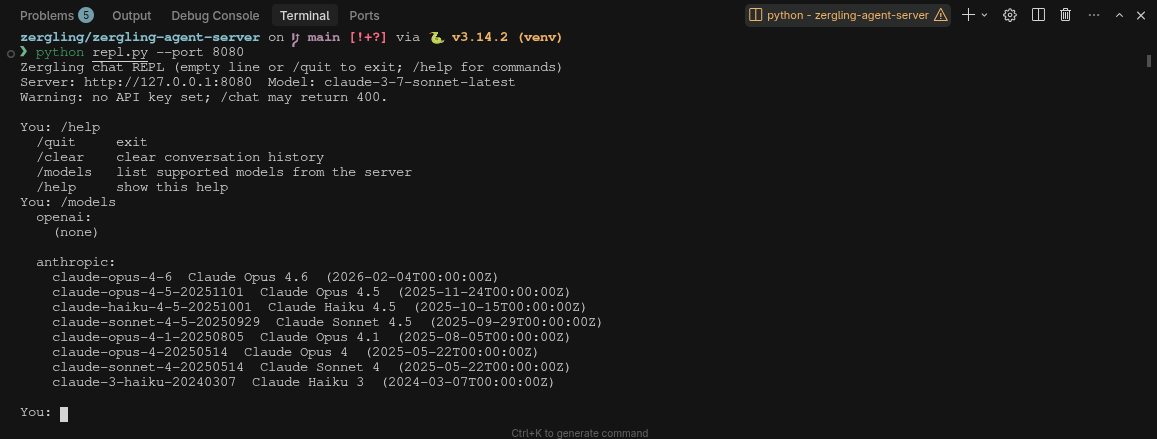
Nice, we can list the models, but we cannot select a new one in the REPL while it's running...
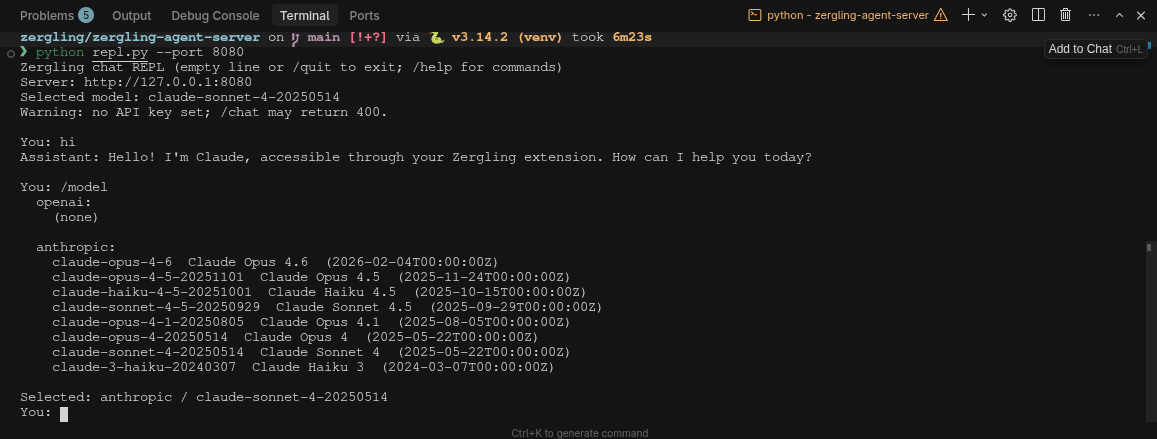
It made a new command /model which I expected, but honestly I'd rather just
have one command (not also /models). Let's have the /model command list the
available models and the currently selected one when no model ID is supplied.
Developing this REPL is useful for myself, sure...but there is an ulterior motive. One of the things I've found to be quite useful when developing using AI is to give AI the tools it needs to succeed. This includes the ability to interact with the software it develops. This will be much harder in one of my future projets, a mobile application, and we'll see how we deal with that when we get there. For now, though, we can develop simple interaction tooling that can allow the AI to interface directly with the products it is making. With this REPL, we can easily add the ability to send one-off chat commands to the chat interface. Later, we'll expand this capability to interact with the agent server entirely!
Web UI
Now we're going to do something interesting. We're going to expand the capabilities of the Zergling Swarm into the web browser. This will give all of you viewing at home the ability to interact with the application yourselves, should I publish this work. Since OpenClaw (ClawdBot, MoltBot, whatever it goes by) is so popular and also open source, I'm inclined to...but it would be nice to make some money developing this somehow so I can keep developing it (consider donating to my Patreon 😏)!
This Web UI will be built in......vue? react? svelte? vanilla? I can't decide. Though, I've been wanting to try Svelte for a while and we've been using it at my job, so perhaps it's time to dive into that. I wonder if the AI can develop it as well, though? React seems like a solid choice for this point alone, since there is so much React code around.
Fuck it! Svelte it is! We can always rewrite it later if we need to...and we're not building something that complex.
zergling-web-ui that will define the Web UI for interacting with our product. This should be a svelte server. Install all necessary dependencies and operationalize the product. Build a simple landing page that hosts a zergling upscaled image from the root `images/ directory. The landing page should have a status pill in the upper right that describes the status of the server. We should build a button to navigate to our chat page. The chat page will facilitate back and forth communication between user and assistant. Build a markdown and code renderer into the chat cells so we can properly render any content returned from the model.That prompt blew up, so I ran this as a Plan agent so we can observe the output of the Plan and modify it prior to execution. How exciting is it to stand up these prototypes so quickly! It really blows my mind. I wonder how production-grade this will become as we hone it.
The plan looks solid with no modifications from my end, let it rip!
While the agent is building I do see some interesting warning...
[!warn] npm warn Unknown env config "devdir". This will stop working in the next major version of npm.
I wonder if this will cause issues? If we should go review the project? We'll test it when it's finished implementing and determine what kind of issues we see. Speaking of "test it" -- I wonder what kind of tests we can bake into this application? I'm deliberating developing abstraction layers between our interaction boundaries so we can run tests against these individual parts if we need to...would it help to mock out the UI for testing? I've never really liked mock testing because mocks don't accurately represent content if it is changed.
Well, we made it!
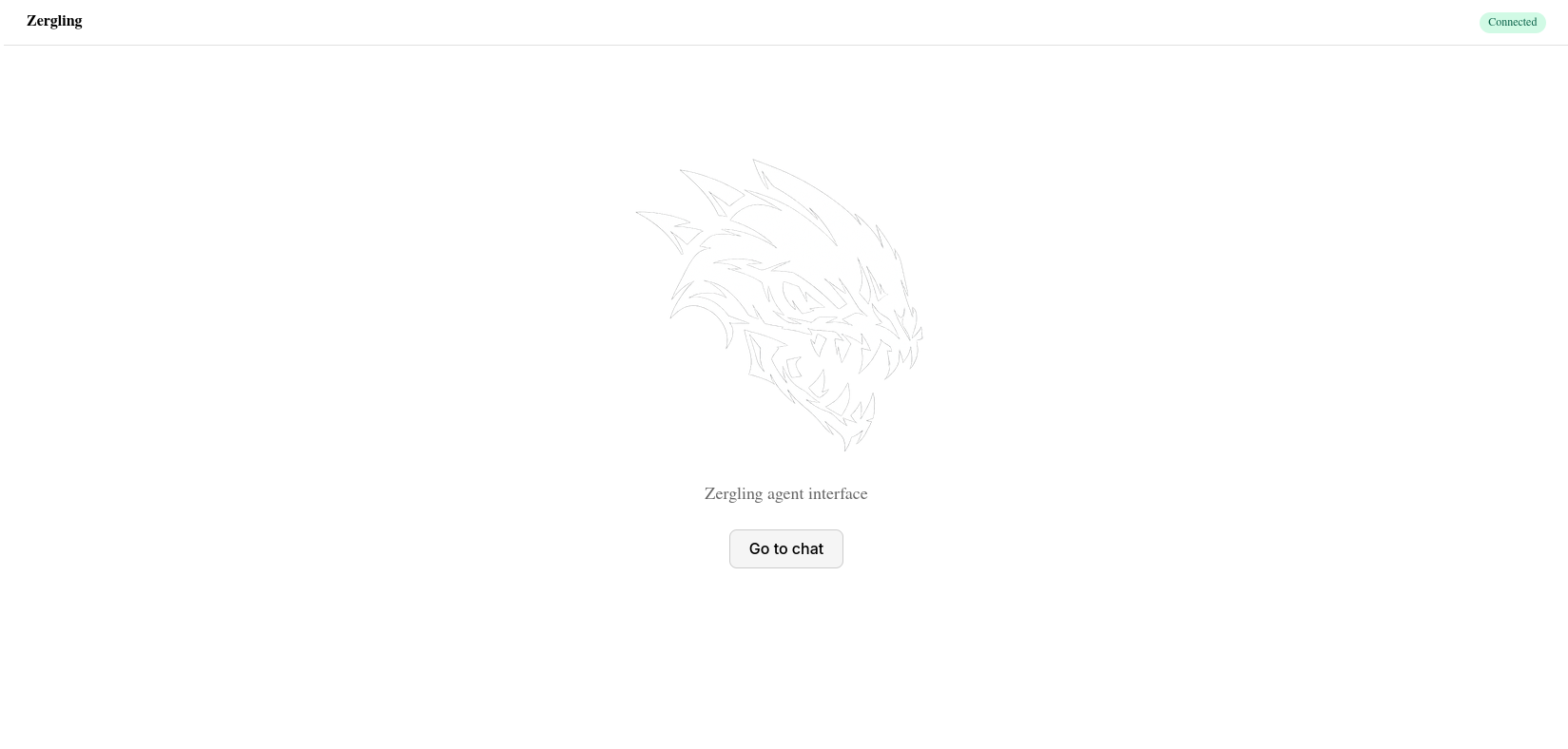
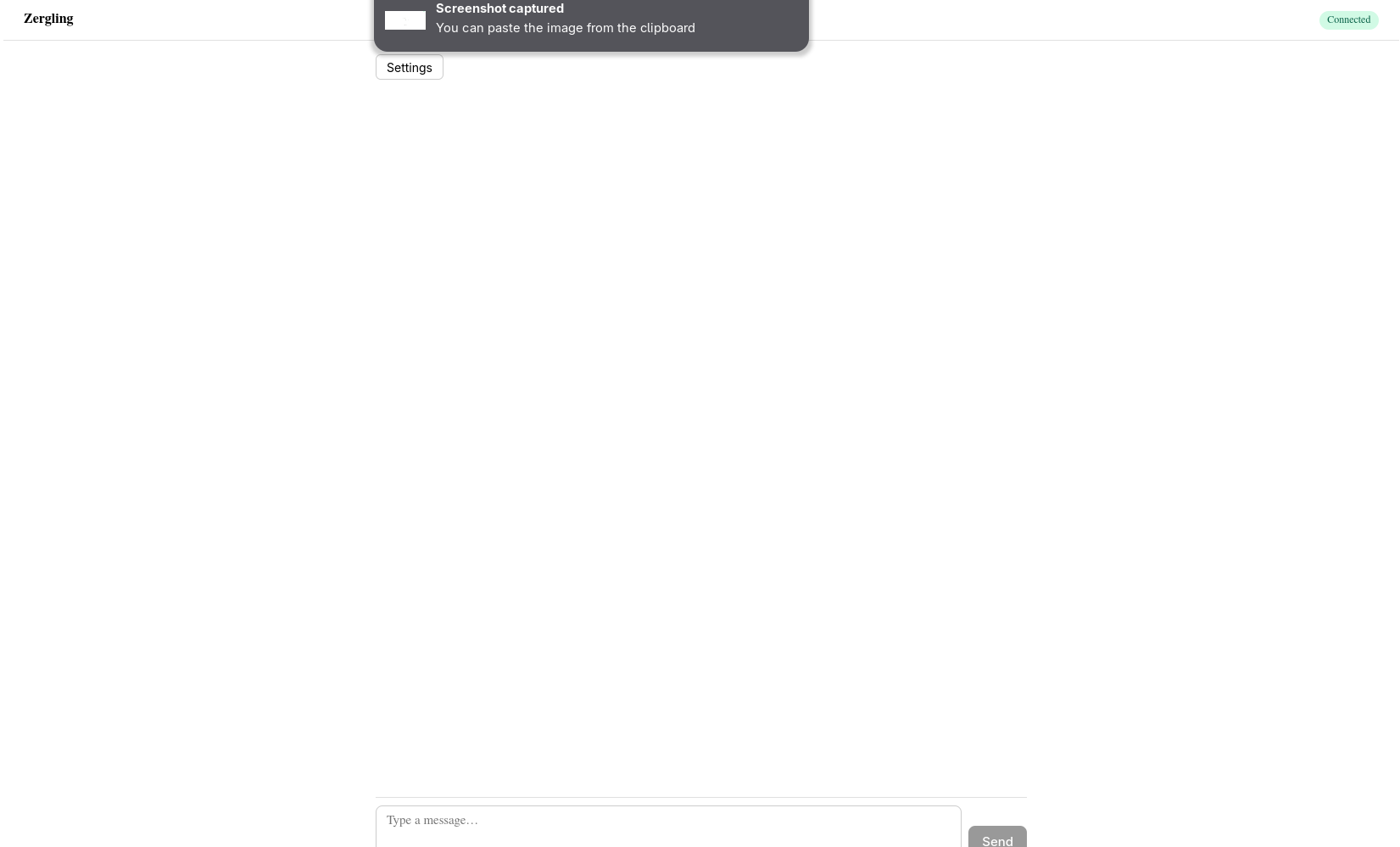
We need to work on this UI though...and get a theme in here! I've had trouble with AI and CSS...I'm hoping it can figure this out with a good prompt.
Now get to work, ROBOT!
While this agent works, we're going to start the next one on standing up an MCP server for use by the swarm.
This robot is doing tons of web searching into documentation. I love to see that. This is context engineering at its finest...and I don't even have to do it! Homie is building now...and I can't wait to get a tool online. Once we do, and have chat working, and I can make a tool call. That's probably where we'll stop this article.
DAMN!
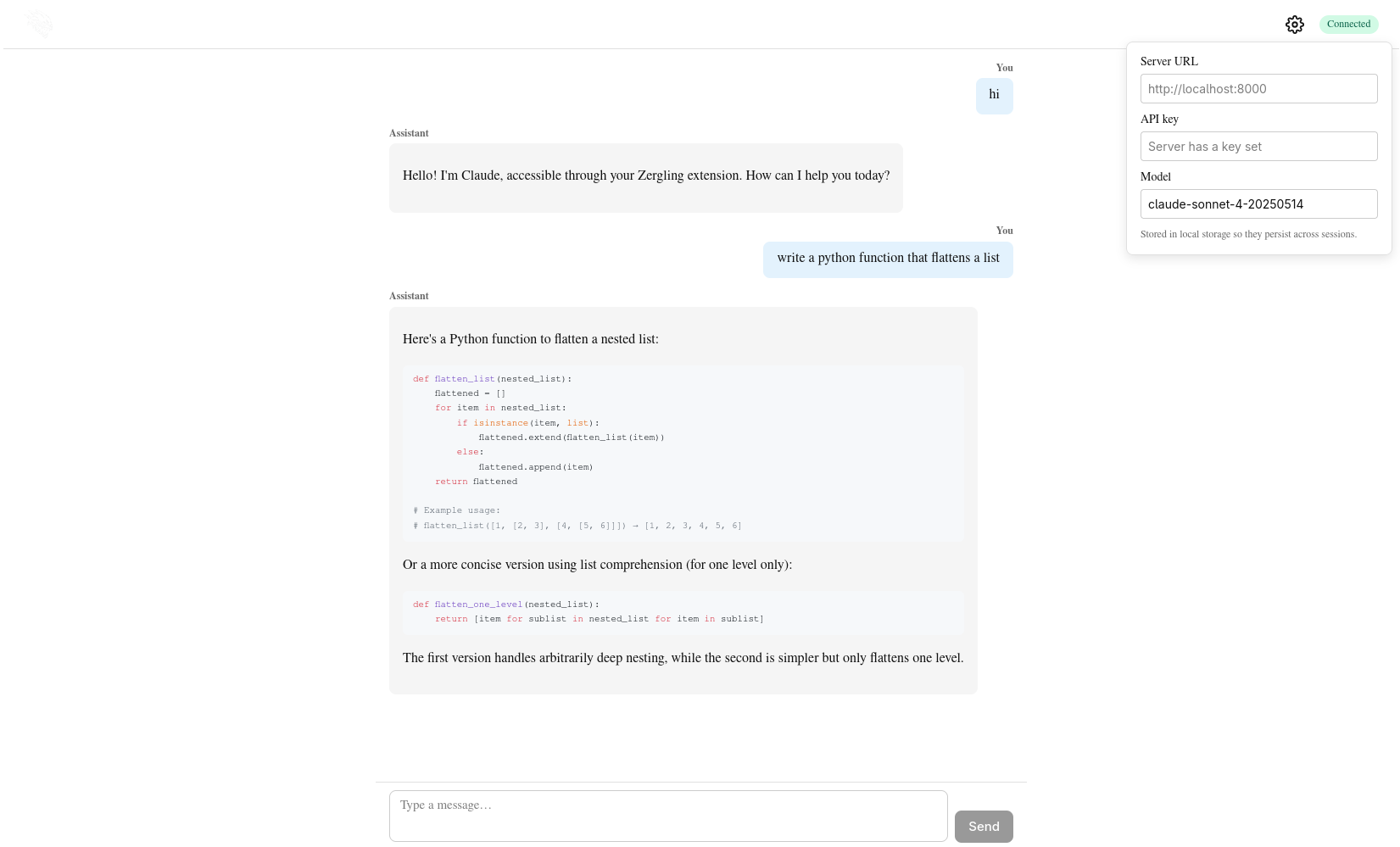
We have one more thing to do though because we don't have tools access yet...
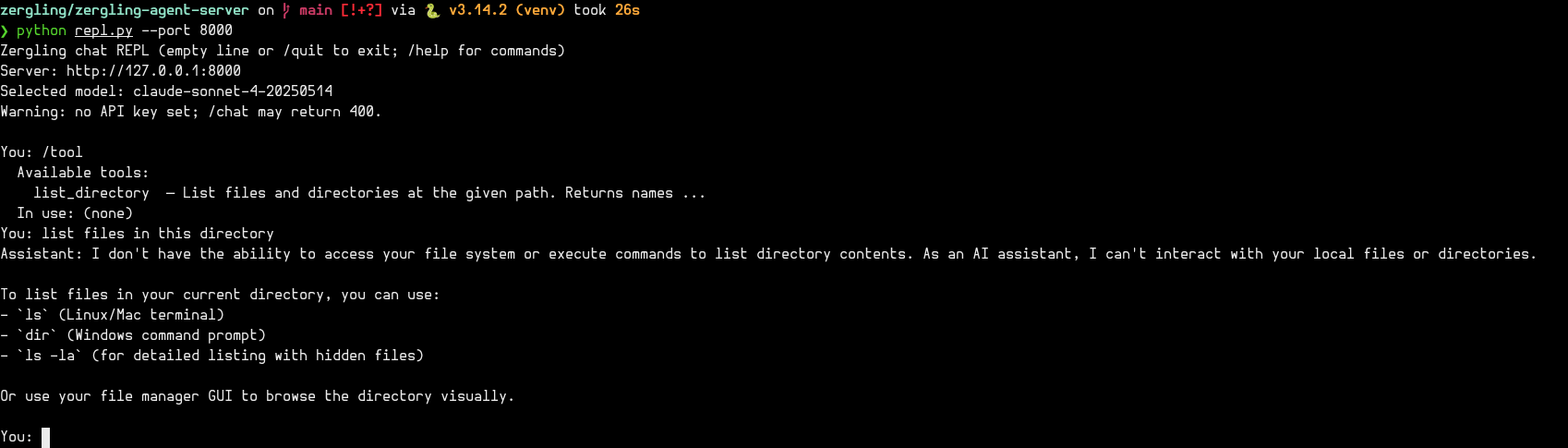
Ah, fuck. It added them to the web ui...but I only wanted tools in the REPL, oh well. Further refinement is necessary. Remember, never be vague.
DAMN AGAIN!
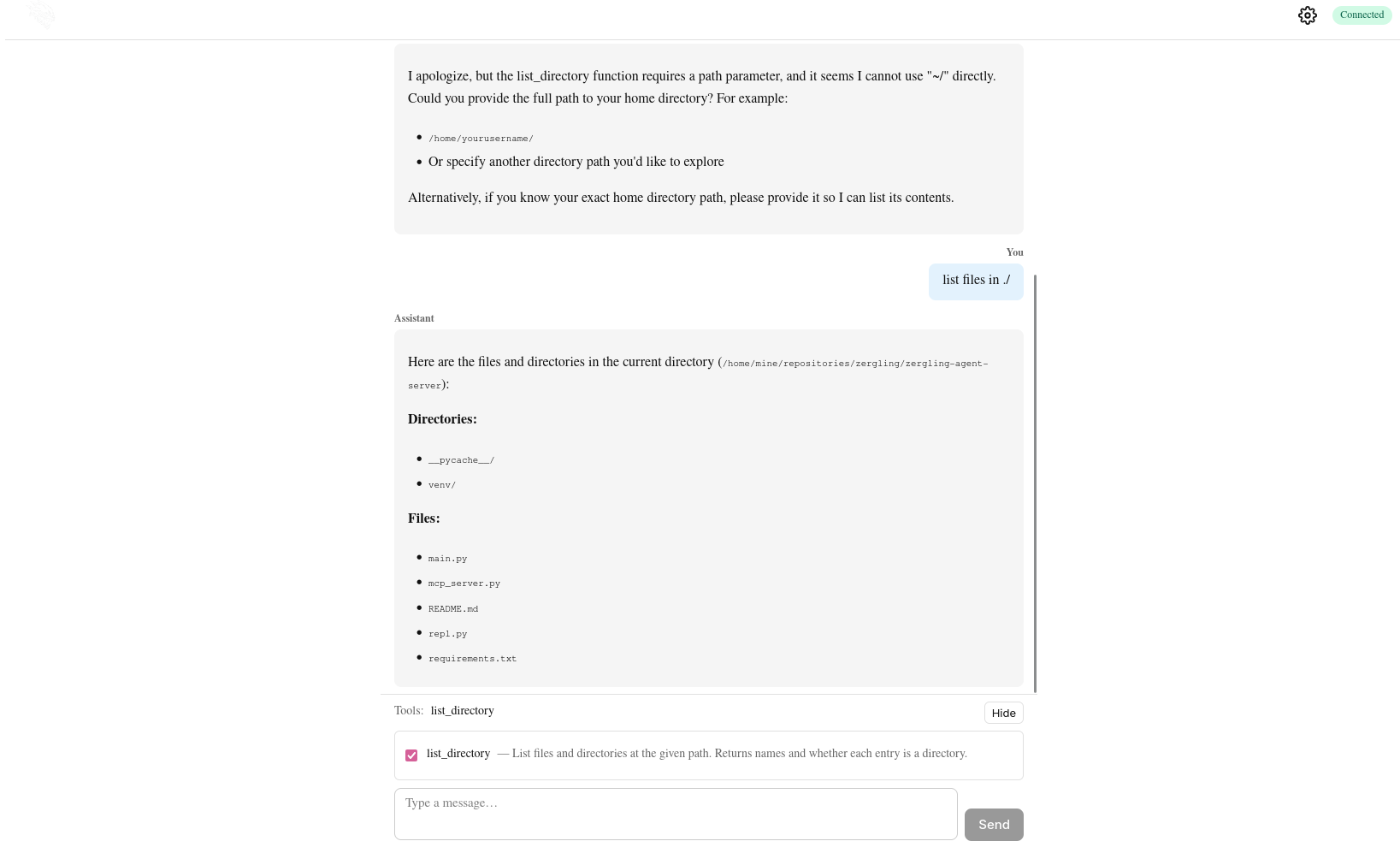
That's incredible...
Next Up
Writing this for myself...but also for you. Next time we're going to polish up the Web UI. Give it some themes, get a dark mode, get some blackpink in there, support for other themes. Then we're going to look at building a true agent loop. Connecting the server to local models so I don't have to pay so much 💰 while we're experimenting...you know. I'll go into detail about running local models as I do today as a relative novice so hopefully you can gain some insight. Now, I'm off to have the AI write its version of this blog post.