

Detour: Effective Autocomplete in Cursor
Detour: AI Autocompletion
This is a detour because I started the Zergling project and then quickly realized I needed to document what I'm doing.
I want to talk about AI autocomplete. I at first thought it was quite miraculous that it could complete so much so quickly. As time drew on, some of the suggestions, particularly in systems languages like Rust, wouldn't be up to par. I needed some way to improve them.
This is how I did it.
Leading The Question
There's a psychology principle called leading the question where the question you ask steers the responder to a particular answer. I have begun doing this by building comment plans and loading that into the context. I'll be experimenting with expanding this idea into architectural design with systems later, but for now I want to show an example of optimizing the autocomplete engine using comments!
This example is a trivial setting, but clearly demonstrates what I'm describing. We're going to build something from nothing! I tend to work like this naturally, by thinking about what I need to do, building a plan in comments or with skeleton functions and interfaces, and then writing the code itself. It turns out that this is a context-exploiting technique that works very well. I'll show you in this video which I took in one take and without scripting what my content would be. I knew I wanted to show some graphs of probability distributions and that's it. Usually, I need to look at docs or previous work to recall which functions I need exactly. This time, though, I said "fuck it, let's roll the dice" and this is what you get.
Check it out!
Autocomplete - The Movie
nrows=2 to nrows=3, but that was the only change!I started recording after I wrote the first blurb comment (sorry!), which I guesssss you could consider a premeditated script, but I wrote this all in the twenty minutes I wrote this blog post and recorded this video. I did not think about this beforehand. The comment at the top describes a lot of what I want to do. Look at two types of distributions, graph them within the same figure with a graph on each row, use seaborn. These are some good base instructions for how to do a context-aware autocomplete. Then I describe how we'll modify the distributions by skewing them.
I start tabbing!
You can see right away that I get something I don't really want when creating
the initial figure. I change it to use subplots, but I mess up the return
values of that function. The AI doesn't care though, as you'll see later. I
write a comment leading the next set of completions: now we can create the
normal distributions and graph them. Robot chooses scipy.stats and I write a
comment asking to use numpy instead which autocomplete then sets up.
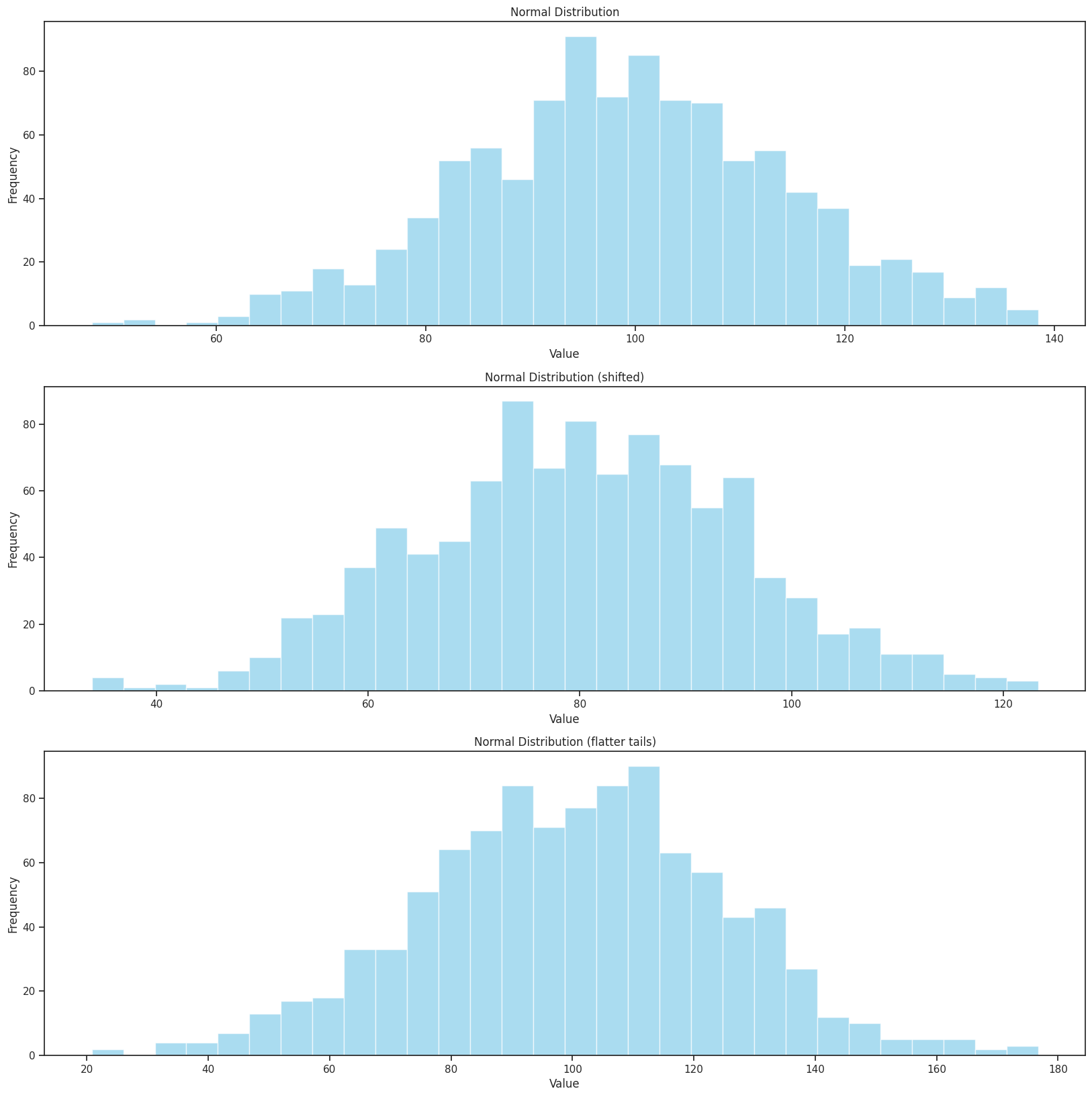
We move on to creating each graph, where I administer a comment as needed to create the next row. Likely this isn't even necessary and I could keep hitting tab, but it's good for readers to see as well and also helps me with Stream of Consciousness Vibing. In my third graph, I suggest that I want to have a flatter distribution, so the autcomplete changes the normal distribution's scale!
I graph it as if I'm in a jupyter notebook, but I don't want the AI to have "jupyter notebook awareness" because I want to show how autocomplete works in a raw python file without anything fancy.
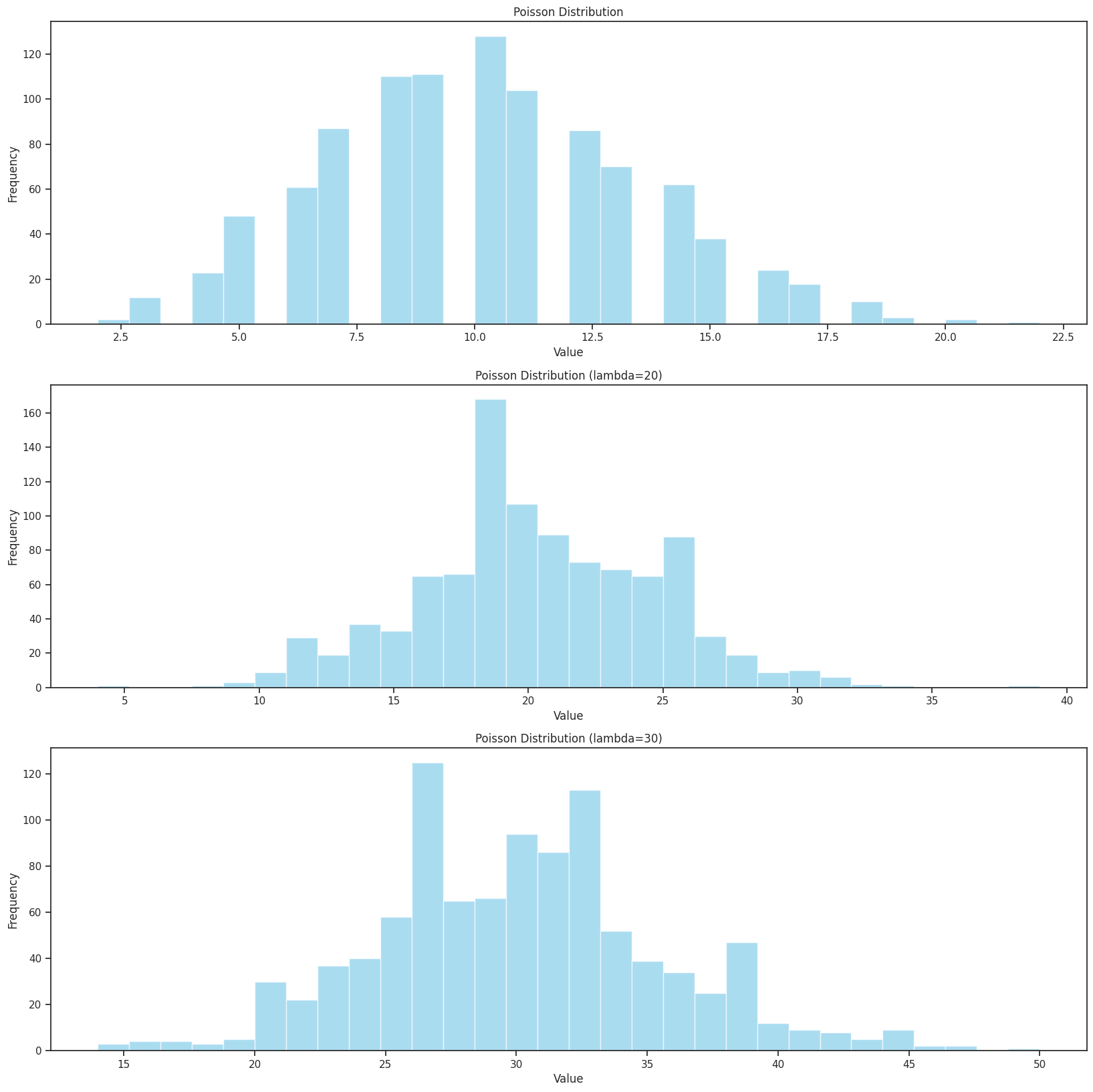
We move on to the Poisson distribution and begin graphing that. Because we already have the three normal distributions loaded into the context nearby in the same file, I autocomplete through this very quickly without suggesting much at all!
At the end of this video, I hit Tab a few extra times to see if the AI "picks up
on anything nearby." It of course catches my matplotlib subplots return value
error. It returns (fig, axs), not just the axes alone. I generally copy other
things I've made when graphing (prior to AI that is), so I tend not to remember
the minute details of what I need to do despite knowing overall the end state
I'm trying to achieve.
Here are the results!
Epilogue
I'll try to remember when I do more leading the question style comment-based autocomplete in the future so I can capture them as further examples of this technique. Hopefully this gives you enough to go on to start using this yourself! Even if you don't use this with AI-assisted development tools, developing plans in comments or function skeletons can help your own brain to stay in a "flow state" or whatever the kids are calling it these days.
I'm a Stream of Consciousness person, so keeping the Stream flowing is paramount to me for relentless productivity!