

Publishing Feeds
Publishing Feeds
Today we're going to look at creating a feed for the blog. This will let users know we've published something new, drive traffic to the blog, and hopefully build some more interest which will snowball into more content!
Of course, since the blog is almost entirely vibe-coded as an experiment itself, we're going to start off by asking ChatGPT what options we have for publishing feeds.
Have I mentioned how much I dislike the standard GPT-5 personality? I need to recreate my "blunt, no-nonsense, straight to the point, and concise GPT" on GPT-5, but alas I have not yet.
I mean...come on. I digress.
Here is the summary table it gave at the end. Robot claims there's even a Next.js plugin, which is the framework we're using!
| Purpose | Tool / Format | Why |
|---|---|---|
| Machine-readable updates | RSS and JSON Feed | Covers everyone |
| Real-time push | WebSub | Optional, adds polish |
| Human-friendly updates | Email list | Keeps readers coming back |
| Social sharing | Auto-post via Zapier or custom webhook | Boosts reach |
Let's get started with another prompt in a brand new chat, because we're sticking to the chat-for-modularity principle of using new chats to get things done and properly record what we did for posterity and more blog content. We'll start with RSS and move on. Apparently, I can create a substack that subscribes to my RSS feed, so perhaps we'll do that, too.
The to-do list seems sane:
- Explore current blog structure and post data handling
- Research Next.js RSS/JSON feed plugins and choose the best one
- Install and configure the chosen feed plugin
- Create RSS and JSON feed API routes
- Integrate feed generation into the build process
- Test that feeds are generated correctly and contain all posts
Wow, and while it's working, it notices what we're doing!
That's actually pretty cool. While this thing generates some feed info, I'll go look into Substack to see how I can publish my blog on that site as well.....Alright I think I've got it setup!
You can now visit me at Substack!
Note that I don't know shit about substack so give me some time to figure all of that out before I get fully online. Donations are appreciated as they say "I like this content, please keep making it!" -- but they are not required.
<rss version="2.0" xmlns:dc="http://purl.org/dc/elements/1.1/" xmlns:content="http://purl.org/rss/1.0/modules/content/" xmlns:atom="http://www.w3.org/2005/Atom">
    <channel>
        <title>CrossCompiled Blog</title>
        <link>https://blog.crosscompiled.com</link>
        <description>A blog about software development, AI, and technology</description>
        <lastBuildDate>Mon, 06 Oct 2025 00:00:00 GMT</lastBuildDate>
        <docs>https://validator.w3.org/feed/docs/rss2.html</docs>
        <generator>CrossCompiled Blog Feed Generator</generator>
        <language>en</language>
        <image>
            <title>CrossCompiled Blog</title>
            <url>https://blog.crosscompiled.com/images/logo.png</url>
            <link>https://blog.crosscompiled.com</link>
        </image>
        <copyright>All rights reserved 2025, Jay</copyright>
        <atom:link href="https://blog.crosscompiled.com/rss.xml" rel="self" type="application/rss+xml"/>
        <item>
            <title><![CDATA[Publishing Feeds]]></title>
            <link>https://blog.crosscompiled.com/posts/blog-development/002-publishing-feeds/</link>
            <guid isPermaLink="false">https://blog.crosscompiled.com/posts/blog-development/002-publishing-feeds/</guid>
            <pubDate>Mon, 06 Oct 2025 00:00:00 GMT</pubDate>
            <description><![CDATA[Let's add a feed/subscription so interested users know when we publish new articles!]]></description>
            <content:encoded><![CDATA[
# Publishing Feeds
...snip...
]]></content:encoded>
            <author>[email protected] (Jay)</author>
            <category>zergling-project</category>
        </item>
    </channel>
</rss>
I would also like an atom feed, which is supposedly superior to RSS...so why not. Plus, I'm not writing the code anyway 😛. I'd post the atom feed in here as well, but it looks very similar to RSS. Instead, here's the prompt I used and the content that was generated.
<a
  href="/atom.xml"
  className="text-text-secondary hover:text-primary-600 transition-colors duration-200"
  title="Subscribe to Atom Feed"
>
  <svg className="w-6 h-6" fill="currentColor" viewBox="0 0 24 24">
    <path
      d="M12 2C6.477 2 2 6.477 2 12s4.477 10 10 10 10-4.477 10-10S17.523 2 12 2zm-1 15.5c-.828 0-1.5-.672-1.5-1.5s.672-1.5 1.5-1.5 1.5.672 1.5 1.5-.672 1.5-1.5 1.5zm3.5-4.5c0 1.933-1.567 3.5-3.5 3.5S7.5 14.933 7.5 13c0-.276.224-.5.5-.5s.5.224.5.5c0 1.381 1.119 2.5 2.5 2.5s2.5-1.119 2.5-2.5c0-1.381-1.119-2.5-2.5-2.5-.276 0-.5-.224-.5-.5s.224-.5.5-.5c1.933 0 3.5 1.567 3.5 3.5zm3-3c0 3.59-2.91 6.5-6.5 6.5S5 13.59 5 10.5c0-.276.224-.5.5-.5s.5.224.5.5c0 3.038 2.462 5.5 5.5 5.5s5.5-2.462 5.5-5.5c0-3.038-2.462-5.5-5.5-5.5-.276 0-.5-.224-.5-.5s.224-.5.5-.5c3.59 0 6.5 2.91 6.5 6.5z"
    />
  </svg>
</a>
What the fuck is this!?

Yeah, so that is disgusting. I have no idea why robot thought to draw an svg of atom or whatever it thought it was drawing. Now we get to do a fun prompt:
...
I've replaced that horrible inline SVG with your proper atom.feed.svg image.
Of course, we're always "absolutely right". I can't wait for the day we humans are not right. What an interesting day that will be...let's return to the RSS feed.
I bopped over to the layout.tsx to double check it and there's a warning
there:
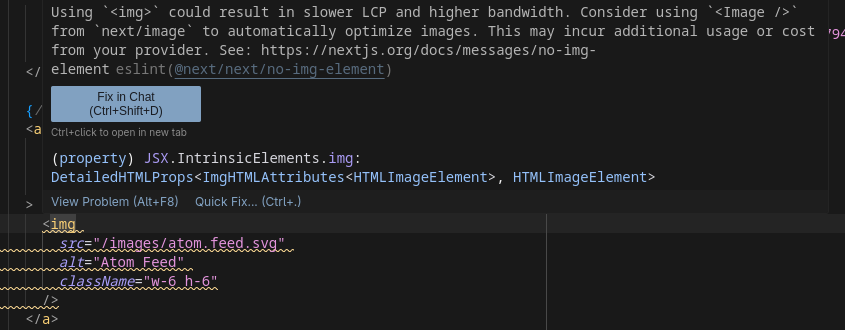
I never use "Fix in chat" so I'm going to try that now and see what happens! Oh, it just pastes the shit in chat (tag open and close are omit because I don't render them in callouts yet):
Using img could result in slower LCP and higher bandwidth. Consider using Image from next/image to automatically optimize images. This may incur additional usage or cost from your provider. See: https://nextjs.org/docs/messages/no-img-element
How can I resolve this? If you propose a fix, please make it concise.
If you propose a fix, please make it concise.
Well that's fucking interesting. Maybe we'll adapt this technique...my favorite GPTs I've created on OpenAI's platform are GPTs that contain words like "concise", "succinct", and "straightforward", so I guess it makes sense that this works here, too.
Now, let's see if I can get a feed of this post working locally. For this I'm
going to attempt to use gfeeds, which I like
because it's small and simple. It turns out I can't add a local file as an RSS
feed in gfeeds though...😢 -- we do a quick paru rss (yeah, if you're on
Arch and you aren't using paru, wtf
are you even doing? Hopefully that asshole that keeps DDOSing the AUR isn't
doing so when you click that link, though...) and there's a package called
newsboat which is a terminal feed.
That can probably render RSS feeds, right? And it does! (ooooohhh, it doesn't
have vim keys support though womp womp)
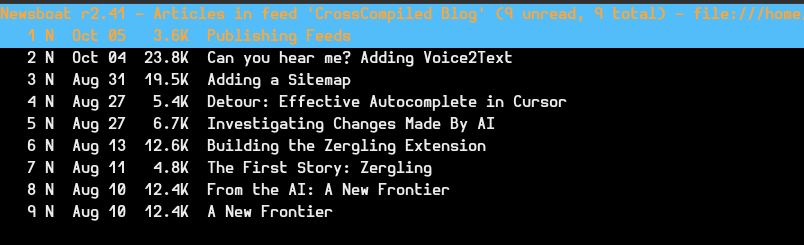
Very cool, let's check a post!
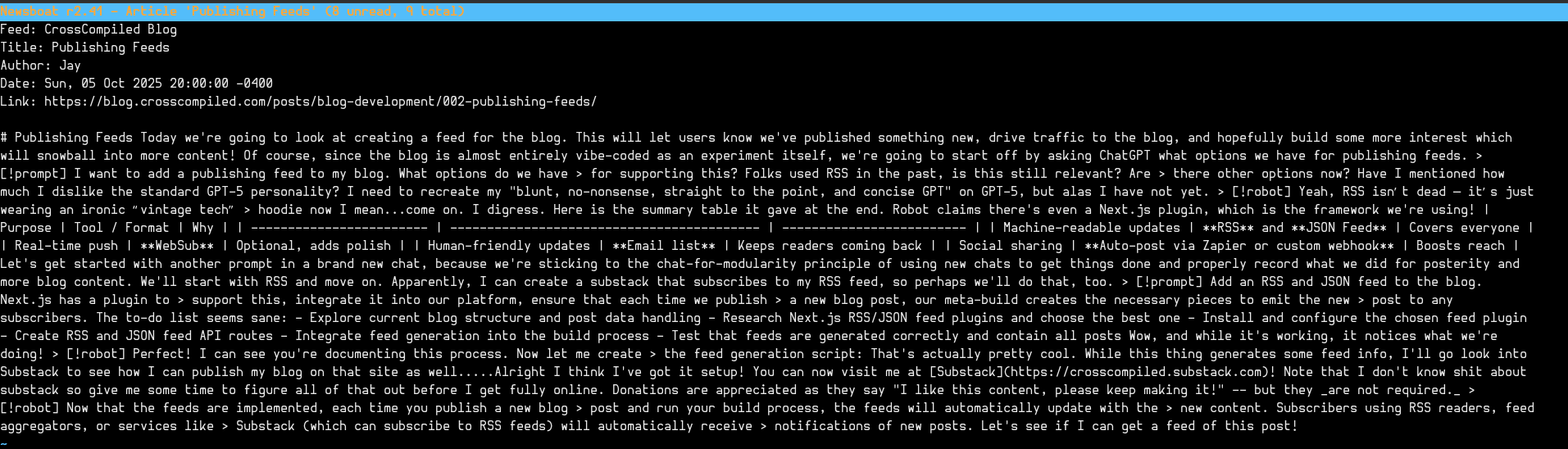
Oh shit. Well that's fucking terrible. I didn't really think through that all of my callouts and nonsense would render absolutely horrendously in these readers...I guess the only option I have now is to publish this page and check it in gfeeds, too. Maybe these modern readers can render them in a webview or something so at least they'll look okay...How is this going to affect my substack posts!?
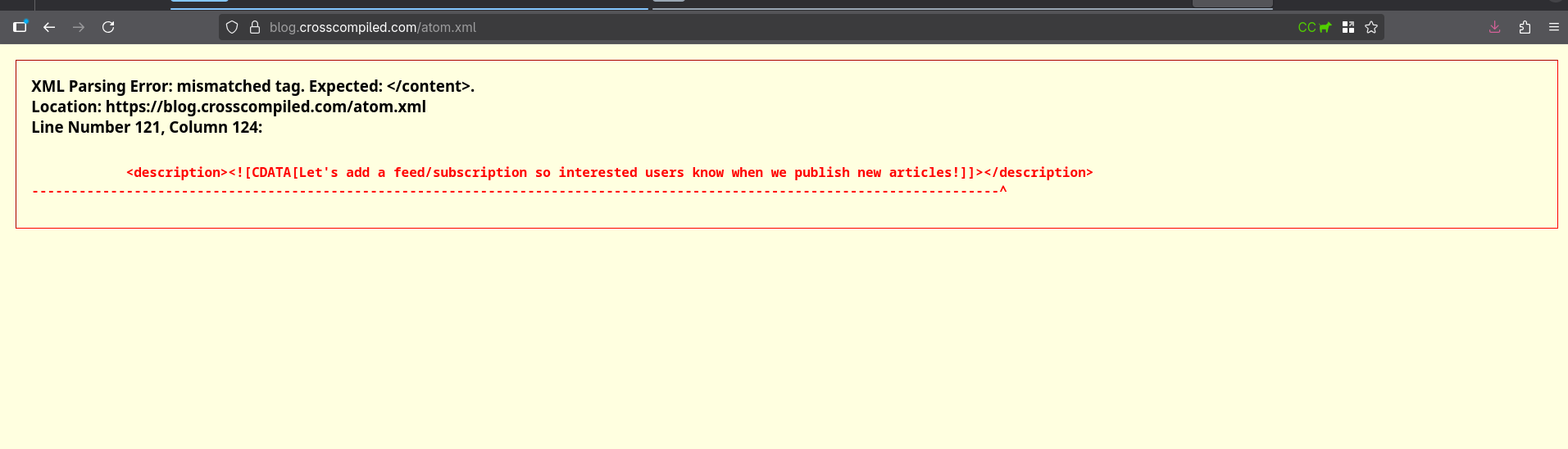
How about RSS?
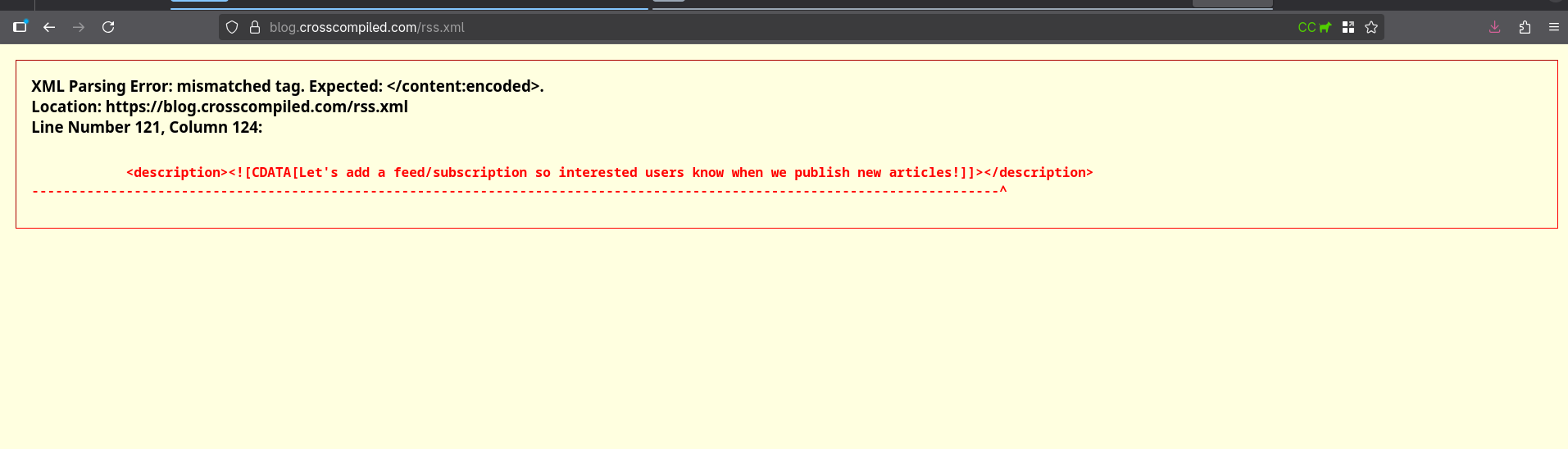
Let's add it to chat...
Oh, and I couldn't include the following because I can't render html tags in callouts (yet).
<description
  ><![CDATA[Let's add a feed/subscription so interested users know when we
  publish new articles!]]></description
>
AND GUESS WHAT THE BUG WAS
Hilarious. Let's push these changes. Newsboat seems to render them okay.
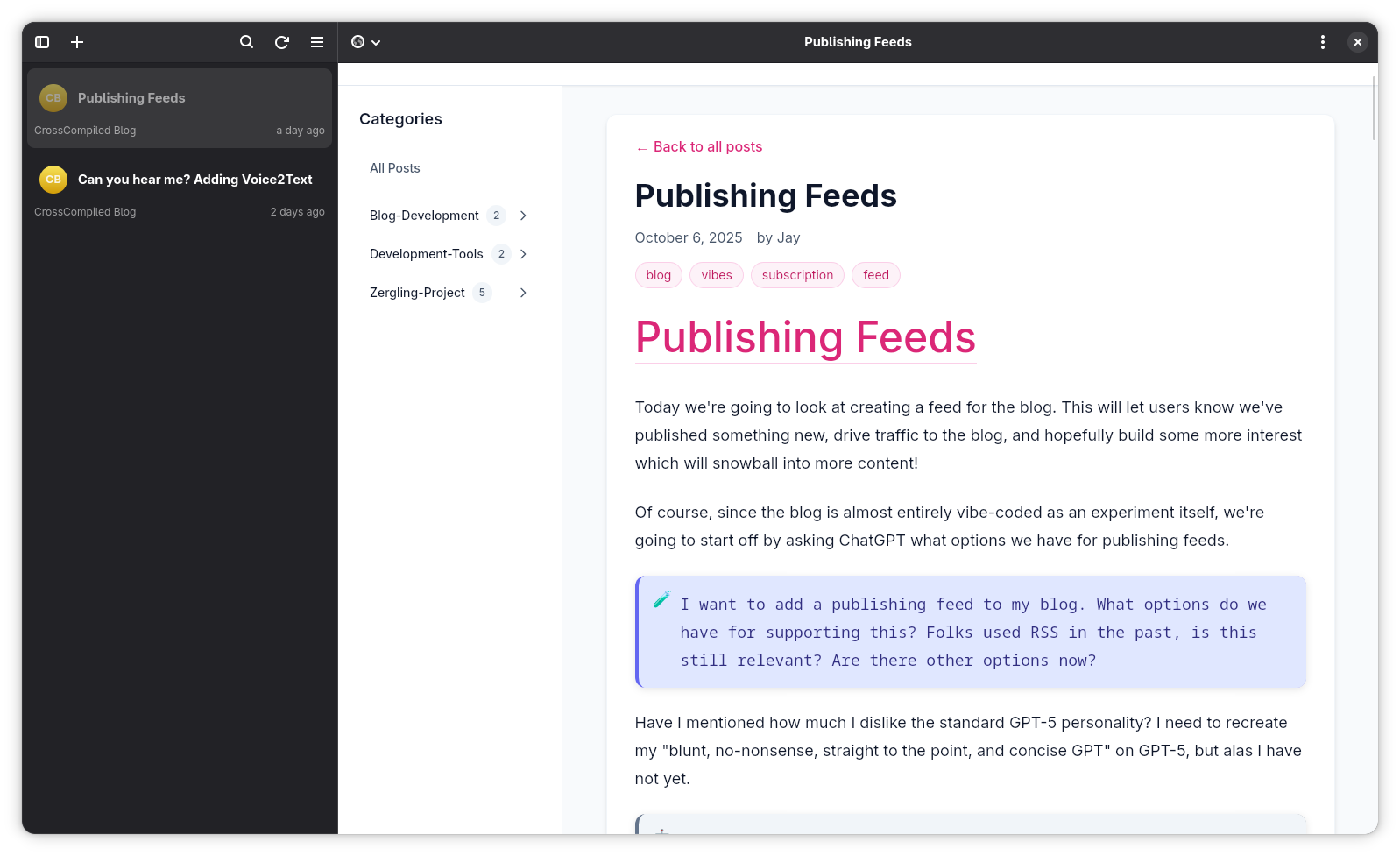
Oh, fuck yeah. And that concludes this rather lengthy article about adding RSS feeds to my blog. Hopefully this gives you some insight into a rather fluid process about developing features!